

Published: May 11, 2026 | Last updated: May 11, 2026 | 9 min read
TL;DR
- Vtiger CRM is an all-in-one customer relationship management platform built for small and mid-size businesses that want sales, marketing, and support tools in one place.
- It offers two editions: an open-source version you self-host for free and a cloud version starting at $12 per user per month.
- Vtiger scores well for contact management, pipeline tracking, and built-in help desk – but its interface can feel dated compared to newer competitors like HubSpot or Zoho CRM.
- It is a strong pick for teams that want a single platform instead of stitching together separate CRM and support tools.
- Best avoided if your team needs a polished mobile experience or deep third-party integrations out of the box.
What Is Vtiger CRM?
Vtiger CRM is a cloud-based and open-source customer relationship management platform that combines sales automation, email marketing, and customer support into one system. It was founded in 2004 and is headquartered in San Jose, California, with development operations in India.
Unlike tools that focus on a single function – HubSpot for marketing, Zendesk for support – Vtiger is designed so one team can handle leads, deals, and customer tickets without switching platforms. This makes it appealing for small businesses that cannot afford or do not want to manage multiple software subscriptions.
How Vtiger CRM Works
Vtiger organizes your business operations across three core modules that share a single contact database.
Sales CRM tracks leads from first contact through closed deal. You get a drag-and-drop pipeline view, activity reminders, and automated follow-up sequences. Every interaction – email, call, meeting – logs against the contact record automatically.
Marketing Automation lets you send email campaigns, build landing pages, and score leads based on engagement. Contacts that hit a threshold score get pushed automatically to the sales pipeline, cutting the manual handoff between marketing and sales.
Help Desk connects customer support tickets to the same contact records your sales team uses. When a customer raises a complaint, the support agent sees the full purchase and communication history without asking the customer to repeat themselves.
The three modules share one data layer, which is the main reason teams choose Vtiger over buying three separate tools.
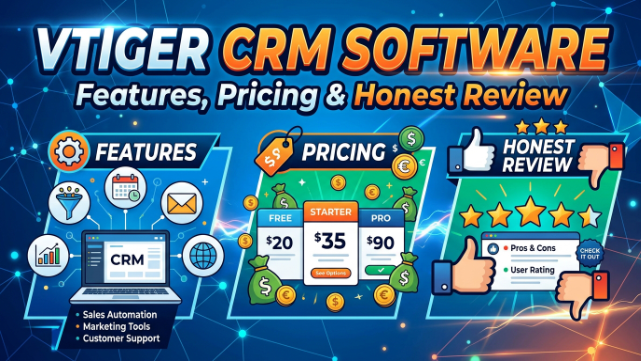
Vtiger CRM Pricing: What You Actually Pay
Vtiger has three pricing paths, and the differences matter depending on your team size and technical setup.
| Plan | Price | Hosting | Best For |
|---|---|---|---|
| Open Source | Free | Self-hosted | Developers or IT-managed teams |
| One Growth | $12/user/month | Cloud | Small teams under 15 users |
| One Professional | $30/user/month | Cloud | Growing teams needing automation |
The open-source edition is free but requires your own server, IT setup, and ongoing maintenance. Most businesses without a dedicated IT person should not choose this route – the setup time and maintenance cost cancels out the savings.
The cloud Growth plan at $12 per user per month includes the core CRM, help desk, and basic marketing tools. The Professional plan at $30 per user per month adds advanced automation, AI-assisted insights (called Calculus AI), and deeper reporting.
Vtiger does not publish a separate Enterprise price publicly – those are negotiated directly with their sales team.
Vtiger CRM Features: What Works and What Does Not
Contact and Pipeline Management
Vtiger’s contact management is its strongest area. Each contact record stores calls, emails, meetings, documents, and support tickets in one timeline. You can group contacts into organizations, link them to deals, and tag them for segmentation.
The pipeline view is a standard kanban board. You drag deals across stages, set close dates, and assign owners. Nothing here is unusual, but it works reliably and does not require configuration before it is useful.
One weakness: the interface uses a denser layout than modern CRMs. New users typically need 1-2 weeks before navigation feels natural.
Email Marketing and Lead Scoring
Vtiger includes email campaign tools without requiring a third-party integration. You build lists from your CRM contacts, design emails using a drag-and-drop builder, and track open and click rates inside the same platform.
Lead scoring assigns points when a contact opens emails, visits tracked pages, or fills a form. Once a contact crosses a score you define, Vtiger can automatically create a deal and assign it to a rep. This removes a common manual step for marketing-to-sales handoffs.
The email builder is functional but not as polished as Mailchimp or ActiveCampaign. Complex layouts require workarounds.
Help Desk and Ticket Management
Vtiger’s help desk lets support teams receive tickets from email, web forms, and live chat, then route them to agents based on rules you set. Response templates, SLA timers, and escalation rules are all included in the Professional plan.
Because tickets link to contact records, agents see the full customer history – past purchases, open deals, previous tickets – without switching tools. This is a genuine advantage over teams using a standalone helpdesk like Freshdesk disconnected from their CRM.
Calculus AI
Vtiger’s AI layer, called Calculus AI, is available on the Professional plan. It analyzes email conversations and call transcripts, then scores how closely a rep followed the sales playbook. It also surfaces deals that are going quiet – no activity for a defined period – and flags them for manager review.
In practice, Calculus AI is useful for sales managers who coach reps at scale, but it is not a replacement for structured sales training.
Vtiger CRM vs Competitors: A Direct Comparison
| Feature | Vtiger | HubSpot Free | Zoho CRM | Freshsales |
|---|---|---|---|---|
| Starting Price | $12/user/mo | Free | $14/user/mo | $9/user/mo |
| Built-in Help Desk | Yes | No | Add-on | Yes |
| Email Marketing | Yes | Limited (free) | Yes | Yes |
| Open Source Option | Yes | No | No | No |
| AI Features | Professional plan | Paid tiers | Paid tiers | Paid tiers |
| Mobile App Quality | Average | Strong | Strong | Strong |
Vtiger’s main edge over HubSpot’s free tier is the built-in help desk and more complete automation on lower-cost plans. Zoho CRM is the closest competitor – both offer broad feature sets at similar prices, but Zoho has a larger integration library and a more modern interface. Freshsales is cheaper at entry level but lacks an open-source option.
Who Should Use Vtiger CRM
Vtiger is a practical fit for small and mid-size businesses in these situations:
You want sales and support in one tool. If your team currently uses a spreadsheet for leads and a separate inbox for support tickets, Vtiger consolidates both without a large budget.
You have an IT team and want control over your data. The open-source edition lets you self-host, customize, and retain full ownership of customer data – relevant for businesses in regulated industries.
You are moving off SugarCRM or SuiteCRM. Vtiger was originally a fork of SugarCRM, so the data models and logic are familiar. Migration is more straightforward than switching to a platform with a different architecture.
Vtiger is not the best fit if your sales team is primarily mobile, if you rely on a large app marketplace for integrations, or if your team needs polished onboarding with minimal IT support.
Common Mistakes When Setting Up Vtiger CRM
Skipping the module configuration before inviting your team. Vtiger ships with default pipeline stages and ticket categories that rarely match real business workflows. Configure these before your team logs in, or you will spend weeks cleaning up data entered in the wrong stages.
Choosing the open-source edition without a dedicated IT resource. Self-hosting requires server setup, security patches, and backups. Teams that underestimate this often abandon the open-source install within 90 days and move to the cloud plan anyway, having lost the setup time.
Not connecting email accounts on day one. Vtiger’s email logging only works if reps connect their inboxes during setup. Teams that skip this step lose weeks of email history and have to rebuild contact timelines manually.
Using Vtiger for marketing campaigns before cleaning your contact list. Vtiger counts all contacts toward storage limits and sends from your configured domain. Sending to a dirty list in the first week can trigger deliverability issues that take months to repair.
Frequently Asked Questions About Vtiger CRM
What is Vtiger CRM used for?
Vtiger CRM is used to manage sales pipelines, run email marketing campaigns, and handle customer support tickets – all from one platform. It is designed for small to mid-size teams that want to avoid running separate tools for each function.
Is Vtiger CRM really free?
The open-source edition of Vtiger is free to download and use, but you must host it on your own server. The cloud editions start at $12 per user per month. There is no permanently free cloud tier.
What is the difference between Vtiger and Zoho CRM?
Both offer sales, marketing, and support features at similar price points. Zoho CRM has a larger third-party integration library and a more polished mobile app. Vtiger’s advantage is the open-source edition and a tighter out-of-the-box connection between the CRM and help desk modules.
How many users can use Vtiger?
Vtiger does not publish a hard user cap on its cloud plans – you pay per user and can add seats as your team grows. Large enterprise deployments are handled through a custom contract with Vtiger’s sales team.
Does Vtiger CRM have a mobile app?
Yes, Vtiger has iOS and Android apps for contacts, deals, and activities. The mobile experience covers core functions but is less complete than the desktop version – complex reporting and automation setup require the desktop interface.
Is Vtiger CRM good for small businesses?
Yes, Vtiger is a reasonable choice for small businesses that need CRM, help desk, and email marketing without separate subscriptions. The Growth plan at $12 per user per month gives most small teams everything they need. The main trade-off is a steeper learning curve compared to newer tools like HubSpot or Freshsales.
Can I migrate from Salesforce to Vtiger?
Vtiger supports CSV imports and has a migration guide for moving from Salesforce. Contacts, accounts, leads, and deals transfer cleanly. Custom objects and complex Salesforce workflows require manual rebuilding in Vtiger’s automation editor.
Key Takeaways
- Vtiger CRM combines sales pipeline management, email marketing, and customer support in one platform starting at $12 per user per month.
- It offers a free self-hosted open-source edition, which suits IT-capable teams that want full data control.
- Its strongest features are contact management, the sales-to-support data connection, and built-in lead scoring.
- The interface is functional but dated – expect a 1-2 week onboarding period for new users.
- Zoho CRM and Freshsales are the closest alternatives; HubSpot is stronger for marketing-first teams.